General
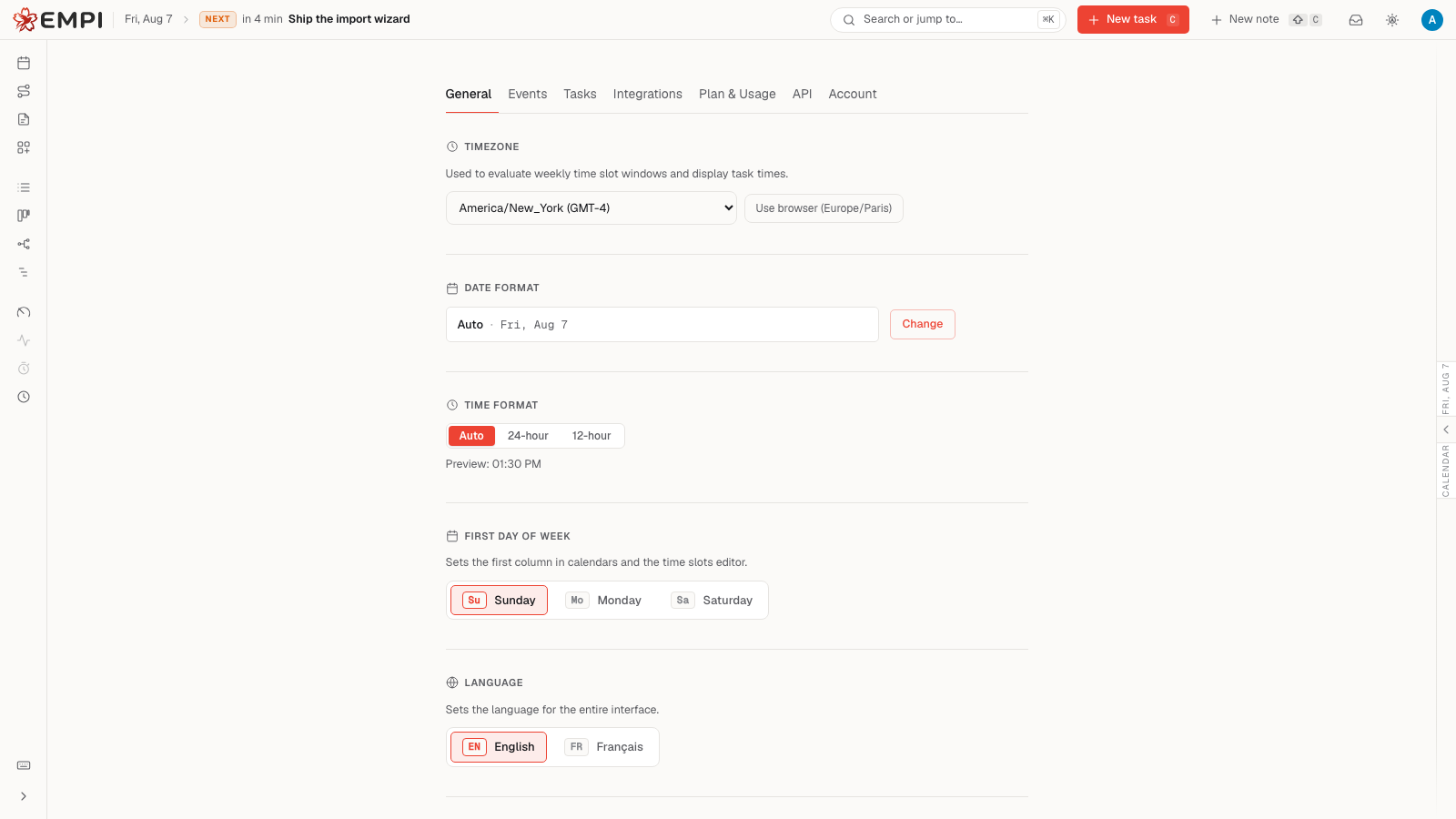
The General tab covers how Empi looks and how it reads your dates, times and language. Nothing here changes your schedule: it changes the presentation and a few app-wide defaults.
Appearance
Theme mode. The theme button in the topbar cycles through Auto, Daylight, Light and Dark. Auto follows your operating system. Daylight uses your location to switch at sunrise and sunset; if location is not available, it falls back to the local clock. The General tab controls the palettes and accent used by those modes.
Palette. Each theme has six palettes, so you can keep the theme you like and still change its mood.
| Light theme palette | Dark theme palette |
|---|---|
| Paper | Graphite |
| Arctic | Slate |
| Rose | Midnight |
| Mint | Carbon |
| Lavender | Forest |
| Stone | Wine |
Accent color. The accent is the color used for buttons, links, selection and highlights. Nine presets are available: Crimson, Gold, Ember, Orange, Vivid, Teal, Sky, Iris and Rose. If none of them fits, open the custom color picker and choose any color you want. Reset returns you to the default accent.
Your light palette, dark palette and accent are stored separately, so switching theme keeps each side looking the way you set it.
Locale
Language. The interface ships in English and French. Changing it here switches the whole interface.
Timezone. Empi uses your timezone to evaluate your weekly time slot windows and to display task times. You can pick a timezone explicitly, or use the one your browser reports. Get this right before you set up your week: everything that depends on "when" depends on it.
Date format. Choose how dates are printed: Auto (follows your browser
language), Compact, Standard or Formal (each in a EU day-first and a US
month-first variant), ISO 8601 (YYYY-MM-DD), or one of the two weekday-led
formats that drop the year.
Time format. Auto, 24-hour or 12-hour. Auto follows your browser. A live preview shows the result.
First day of week. Sets the first column in calendars and in the time slots editor.
Defaults
Three defaults live here.
Voice note transcription language. Choose the language Empi suggests when you record a voice note. You can still change it for an individual recording.
Skip delete confirmation. When on, deleting a task no longer asks you to confirm. Past calendar entries are still preserved as history, and future reservations are still removed from your calendar.
Auto-block tasks with unfinished dependencies. When on, a task shows as Blocked while any of its dependencies is unfinished, and returns to To do once they all complete (showing a ready marker until it gets scheduled). When off, dependencies still show their badges but the status is never changed for you.
Notifications
The notification preferences section lets you turn on browser notifications, so Empi can reach you on this device even when the tab is closed. See Notifications for what Empi notifies you about and how the inbox works.